

Why Trust Us
Quick answer: Take App has no sitewide percent-off code listed, so the best savings come from the product deals on our coupon page. We track 18 working Take App coupon codes and deals, with conditions noted on each.
See all Take App coupon codes and deals →
We researched Take App products (5 featured listings in this guide), customer reviews, pricing, and verified coupon availability before publishing this guide.
- Product research: Details come from the merchant's public product pages and publicly available listing information for the products compared below.
- Coupon verification: Featured offers on this page are reviewed for format and availability when we publish (18 offers featured). Always confirm terms on the merchant checkout page before paying.
- Practical buying advice: We highlight shipping, return, and promo-stacking considerations that affect the final cart total — not just sticker price.
If a code stops working or a product page changes, we update the guide when new information is available. Treat this as a research starting point, then verify the live price and promotion at checkout.
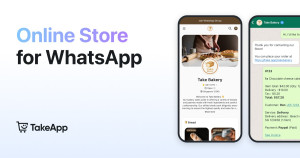
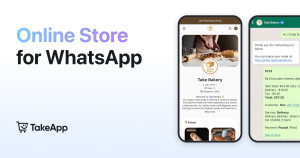
Merchant positioning: Create your online store for WhatsApp. Manage orders, accept local payments with 0% sales commission, and automate updates—all in one place.
Take App at a glance
Quick facts from the merchant listings and offers tracked on dealreviewdaily.com:
| Feature | Take App |
|---|---|
| Category | Software & Tech |
| Official domain | take.app |
| Featured products | 5 listings compared below |
| Offers tracked | 18 — Take App Free Basic Plan With 50 Orders per Month; Unlimited Products and No Commissions on Free Plan |
| Shipping | Confirm shipping options on merchant checkout |
| Returns | Confirm return policy on the merchant site |
Current Take App Coupon Codes & Deals
Live offers update automatically when coupons change on dealreviewdaily.com.
 TA
Take App
GREAT OFFER
Take App Free Basic Plan With 50 Orders per Month
TA
Take App
GREAT OFFER
Unlimited Products and No Commissions on Free Plan
TA
Take App
GREAT OFFER
Take App Essential Plan
TA
Take App
GREAT OFFER
Own Domain and Domain-Based Email on Essential
TA
Take App
GREAT OFFER
Delivery Fees by Area, Weight or Distance on Essential
TA
Take App
GREAT OFFER
CSV Bulk Upload and Analytics on Take App Essential
TA
Take App
GREAT OFFER
Take App Business Plan
TA
Take App
GREAT OFFER
1,000 Automated WhatsApp Messages Monthly on Business
How to Maximize Savings at Take App
- Start on our Take App deals page to see coupon vs automatic offers.
- Use our affiliate shop link so your order is tracked through dealreviewdaily.com.
- Copy the promo code before you open the merchant site if a code is required.
- Check minimum spend rules, excluded categories, and expiration dates on the merchant checkout page.
- Compare the final total with and without the code — some sitewide sales cannot stack with additional coupons.
- Subscribe to the brand newsletter if you plan repeat purchases; many stores send exclusive codes to subscribers.
Frequently Asked Questions
These answers start with the merchant's own public FAQ content, then cover common search questions shoppers ask about Take App:
Can I create a free online store for WhatsApp?
Yes. Create your store on the free plan, add products, and share your link to start taking orders. Upgrade when you need more features or higher limits.
Does Take App only work with WhatsApp?
No. Customers can also send their orders through supported apps such as Messenger, Instagram, and Telegram. The steps for sending an order vary by app. Automated order updates, payment reminders, and broadcasts are available on WhatsApp; the AI chatbot supports WhatsApp and Instagram.
Does Take App charge a commission on sales?
Take App doesn’t take a percentage of your sales. Payment providers may charge their own fees, and availability varies by country. Direct bank transfers go to your account; supported gateways process payments and confirm them automatically.
Do I need technical skills to set up my store?
No coding is needed. Add your products, choose how customers can pay and receive their orders, and share your store link. You can customize your storefront and connect your own domain as you grow.
Can I manage in-person orders and table reservations?
Yes. Use a phone or tablet as a POS, let guests order by QR code, and manage table orders alongside online orders. You can also accept reservations online and manage bookings from your dashboard or mobile POS.
Are all features included in the free plan?
Features and limits vary by plan. Compare plans for automation, AI chatbot access, and other tools you need. Messaging usage and payment provider fees may also apply.
Where is Take App made?
Take App doesn’t take a percentage of your sales. Payment providers may charge their own fees, and availability varies by country. Direct bank transfers go to your account; support... Confirm on the specific product page if you need origin for one SKU.
Does Take App ship internationally?
International availability depends on the merchant checkout options and your address. Confirm shipping countries, rates, and any duties on the Take App checkout page before paying.
Is Take App worth buying?
Take App can be worth buying if a featured listing matches what you need (start with Whatsapp if that is your use case) and the final cart total looks fair after shipping. Pair the purchase with a current offer such as Take App Free Basic Plan With 50 Orders per Month / Unlimited Products and No Commissions on Free Plan from our Take App deals page.
Does Take App offer student discounts?
We did not find a dedicated student discount among the Take App offers tracked here. Check the merchant site, student-discount portals, or newsletter for any campus/education promotions.
How often does Take App release coupon codes?
We currently track 18 Take App offers on dealreviewdaily.com. Brands often refresh codes around seasonal sales, product launches, and newsletter campaigns — check our Take App deals page before you buy.
Does Take App require a promo code for every deal?
No. Some promotions apply automatically at checkout, while others need a code. Our listings separate coupon codes from no-code discounts on the Take App deals page.
What if my Take App promo code does not work?
Confirm expiration dates, product exclusions, and minimum order values on the merchant site. Retailers can change or end offers without notice — then try another active listing from our Take App deals page.
Is it safe to shop through dealreviewdaily.com?
We link to official merchant checkout flows. Always verify you are on the brand's legitimate domain before entering payment details.
Checkout checklist for Take App
Before you pay, run through this quick list so the final cart total matches what you expected on dealreviewdaily.com:
- Confirm the exact product name, size, color, or kit version on the merchant product page.
- Check whether a featured coupon code still applies — exclusions and minimum spend rules change.
- Compare the cart total with and without the promotion, including shipping.
- Note return/warranty terms on the merchant site if the item is a gift or higher-ticket purchase.
When you are ready, use our tracked link to shop Take App.
Final verdict
Pick the listing whose price and description match your use case, then apply a verified deal from our Take App coupon page and re-check the cart total before paying.